

Table of Contents
- Why 3D Prints Break: The Physics Behind Weak Parts
- How to Increase 3D Print Strength With Slicer Settings
- 3D Printing Layer Adhesion Issues: Temperature, Cooling, and Flow
- How to Dry 3D Printer Filament (and Why Moisture Weakens Prints)
- Material Choice: PLA, PETG, and ABS Compared for Durability
- Design and Post-Processing Fixes: Annealing, Walls, and Stress Points
- Frequently Asked Questions
Last Updated: September 17, 2026
Why 3D Prints Break: The Physics Behind Weak Parts
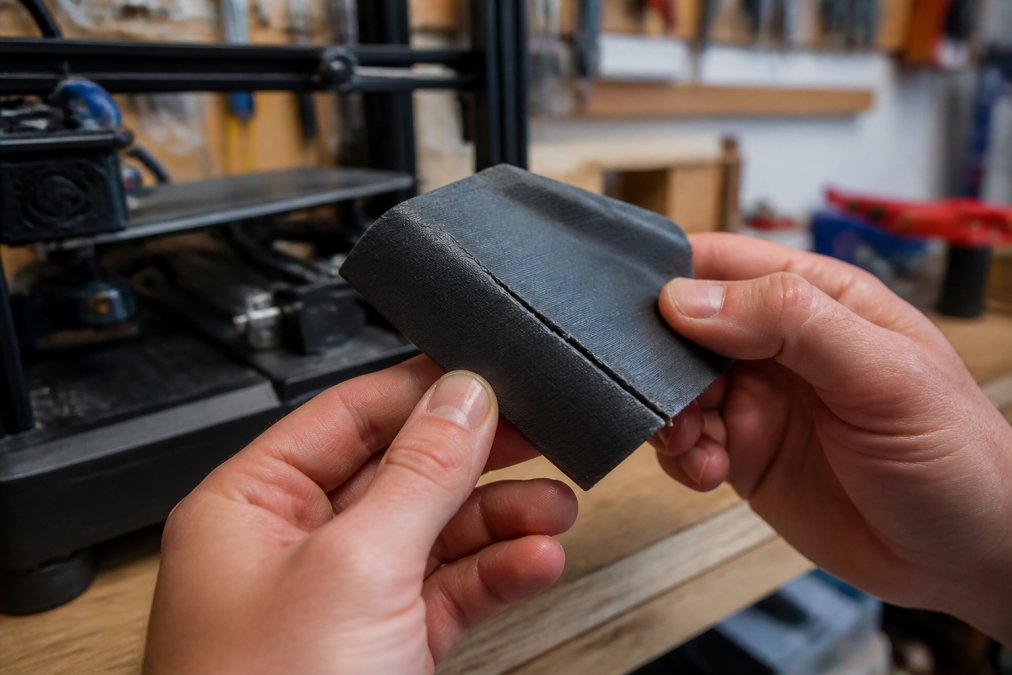
If your 3D prints break easily, the cause almost always comes down to one thing: weak bonds between layers. A 3D print is not one solid block of plastic. It is hundreds of thin lines of melted filament stacked on top of each other. Each new line must fuse to the one below it. When that fusion is weak, the part snaps along those lines under stress.
Layer Adhesion: The Weakest Link in Every Print
Layer adhesion is the bond between one printed layer and the next. It is the single biggest factor in whether a part holds up or cracks.
Common causes of poor layer adhesion:
- Extrusion temperature too low, so the plastic never fully melts
- Print speed too fast, so layers cool before they fuse
- Part cooling fan running too hard, chilling each layer too fast
- Under-extrusion, leaving gaps between lines
Print Orientation and Anisotropic Strength
Print orientation is the direction your part sits on the build plate. It decides which way the layers run, and that decides where the part will break.
- Load-bearing posts should print vertically so force travels down the layers
- Snap-fit clips should print flat so they flex along the lines
- Anything that gets pulled apart should not have layers running crosswise to the pull
How to Increase 3D Print Strength With Slicer Settings
To increase 3D print strength, start with the settings that control how much plastic and how many walls your part has. These changes are free and take minutes.
The biggest gains come from three settings:
- Wall thickness and shell count. More perimeters means more solid plastic around the outside. Two walls is fragile. Four to six walls makes a part that resists bending.
- Infill density and pattern. Infill is the internal support structure. Higher density means more material inside. Grid and gyroid patterns spread stress better than lines.
- Layer height. Thinner layers bond better because each bead is closer to the last. A 0.2 mm layer height is a good balance of speed and strength.
| Setting | Weak Part | Strong Part | Why It Helps |
|---|---|---|---|
| Shell count | 2 walls | 4-6 walls | More solid plastic at the edges |
| Infill density | 10-15% | 40-60% | Spreads load through the core |
| Infill pattern | Lines | Grid or gyroid | Handles stress from all sides |
| Layer height | 0.3 mm | 0.16-0.2 mm | Better thermal bonding |
| Print speed | Very fast | Moderate | Layers fuse before cooling |
3D Printing Layer Adhesion Issues: Temperature, Cooling, and Flow
Most 3D printing layer adhesion issues trace back to temperature, cooling, or flow rate. Fix those three and weak parts become rare.
How to Dry 3D Printer Filament (and Why Moisture Weakens Prints)
Learning how to dry 3D printer filament is one of the most overlooked steps for strong prints. Wet filament prints weak parts, and most people never check.
Signs your filament needs drying:
- Popping or crackling sounds during printing
- Rough, uneven surface on the print
- Visible steam near the nozzle
- Parts that snap instead of bending
How to dry filament:
- Check your spool's material, since drying temps differ
- Use a filament dryer or a food dehydrator set to the right temperature
- Dry for the time your material needs, often several hours
- Store the spool in a sealed bag with desiccant right after
Material Choice: PLA, PETG, and ABS Compared for Durability
No single filament wins for every job. The right material depends on where the part lives and what it must survive.
| Material | Strength | Heat Resistance | Best For |
|---|---|---|---|
| PLA | Stiff but brittle | Low | Display pieces, decor |
| PETG | Tough, flexes | Medium | Functional parts, clips |
| ABS | Tough, durable | High | Heat-exposed parts |
Design and Post-Processing Fixes: Annealing, Walls, and Stress Points
Design and post-processing can fix weaknesses that no slicer setting will touch. Two parts printed with identical settings can behave completely differently based on shape alone. This section covers the design rules that prevent failures before they start, and the post-print heat treatment that can meaningfully raise strength after the part is already printed.
Stress Concentration: Where Parts Actually Break
Stress concentration is where a part breaks first. Sharp inside corners focus force into one tiny spot. Round those corners with a fillet and the load spreads out. This is basic CAD design, and it matters more than most people think. A sharp 90-degree internal corner can concentrate stress many times higher than the nominal load on the part, which is why so many printed brackets crack right at the corner where the vertical meets the horizontal.
Fix it in CAD, not in the slicer:
- Add fillets to every internal corner that sees load. Even a small radius helps.
- Avoid abrupt changes in cross-section. Taper thick-to-thin transitions instead of stepping them.
- Put holes away from edges. A screw hole close to an edge splits along the layer lines under load.
- Add ribs to flat panels instead of thickening the whole panel. Ribs add stiffness with less material and less warp.
Wall Thickness in the Design
Wall thickness in the design should be a multiple of your nozzle diameter. A 0.4 mm nozzle prints clean 0.8 mm and 1.2 mm walls. Odd sizes create gaps and weak spots because the slicer cannot fit a clean number of extrusion lines into the space. If a wall must be a non-multiple, round up rather than down so the slicer fills it with solid plastic instead of leaving a void.
Annealing: Post-Print Heat Treatment for Stronger Parts
Annealing is a post-print heat treatment that boosts strength. You heat the finished part in an oven at a controlled temperature, hold it there, then let it cool slowly. This lets the polymer chains relax and bond further. The part gets stronger and more heat resistant. It also shrinks slightly, so plan for that.
A practical annealing process:
- Confirm the material. Annealing temperatures differ by filament. PLA, PETG, and ABS each need their own range. Check the spool or the manufacturer's data sheet.
- Preheat the oven to the target temperature and let it stabilize. An oven thermometer is more reliable than the dial.
- Support the part. Annealed parts soften and can sag under their own weight. Set the part on a flat, heat-safe surface, or pack it in sand or salt to hold its shape.
- Heat slowly and hold. Ramp up gradually, hold at temperature long enough for the heat to reach the core, then cool slowly. Fast cooling defeats the purpose and can re-introduce stress.
- Cool in the oven. Turn the oven off and let the part cool inside. Pulling it out hot causes uneven cooling and warping.
- Measure after cooling. Expect shrinkage. If the part has critical dimensions, print a test coupon first and measure the change before committing to a final part.
Watch These Weak Spots
- Thin flat sections that flex and crack
- Screw holes that split along layer lines
- Snap-fit tabs printed in the wrong orientation
- Sharp corners that concentrate stress
- Parts that were annealed without accounting for shrinkage
For parts you buy rather than print, the same rules apply. A well-made printed accessory uses good orientation, solid walls, and the right material. That is how CamGait3D Creations approaches its 3D printed gaming accessories and decor, with attention to durability and detail. If you want pieces built to hold up, you can shop all of our designs.
Frequently Asked Questions
How to stop 3D prints from breaking?
Increase nozzle temperature by 5-10°C to improve thermal bonding, raise extrusion width to 0.48-0.5 mm for a 0.4 mm nozzle, and set infill overlap to 15-25%. Print at 40-60 mm/s for stronger layer adhesion. Orient parts so layer lines run perpendicular to the main stress direction. Dry filament before printing and store it with desiccant to prevent moisture-related brittleness.
Can brittle PLA be saved?
Brittle PLA is usually caused by moisture absorption, so drying it at 40-45°C for 4-6 hours in a filament dryer often restores flexibility. If the filament snaps easily after drying, it has likely undergone hydrolysis and should be replaced. For new prints, switch to PETG or add annealing at 60-70°C for 1-2 hours to improve toughness and reduce brittleness.
What causes layer separation in 3D prints?
Layer separation happens when the new layer is too cool to bond with the previous one. Common causes include low nozzle temperature, excessive part cooling fan speed, printing too fast, and under-extrusion. Increase nozzle temperature by 5-10°C, reduce fan speed to 20-50% for PLA, slow down to 40-60 mm/s, and calibrate flow rate to eliminate gaps between layers.
Does printing temperature affect part strength?
Yes. Printing 5-10°C above the manufacturer's minimum nozzle temperature improves polymer chain diffusion between layers, increasing tensile and shear strength. Too low a temperature causes poor thermal bonding and layer separation, while too high a temperature can cause stringing and degradation. Start at the middle of the recommended range and adjust based on a temperature tower test.
Weak prints are rarely a mystery once you know where to look. The culprit is almost always layer bonding, and the fix usually lives in your temperature, cooling, and flow settings. CamGait3D Creations builds its figurines, gaming accessories, and decor pieces with these exact principles in mind, using careful orientation and the right materials so they hold up to real use. Browse the full collection and find something built to last.